
eIPCRF Download 2025–2026: Official DepEd Tool for Teachers (Free)
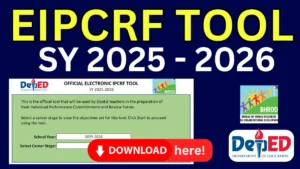
eIPCRF Download 2025–2026: Official DepEd Tool for Teachers (Free)
Are you a DepEd teacher looking for the official eIPCRF Download 2025–2026? You are in the right place. In this guide, you will find the free, official Excel-based electronic Individual Performance Commitment and Review Form (eIPCRF) released by the Department of Education (DepEd) through the Bureau of Human Resource and Organizational Development (BHROD) — along with step-by-step instructions on how to fill it out correctly.
Table of Contents
What Is the eIPCRF?
The eIPCRF Download 2025–2026 eIPCRF (Electronic Individual Performance Commitment and Review Form) is the official digital version of the IPCRF — the mandatory performance assessment tool used by all public school teachers in the Philippines under the DepEd Performance Management and Evaluation System (PMES).
Starting SY 2025–2026, all teachers are required to use the official Excel-based electronic IPCRF tool to input their performance data. This replaces manual paper-based forms and ensures a faster, more accurate submission process.
The eIPCRF covers:
- Key Result Areas (KRAs) — 7 KRAs aligned with the Philippine Professional Standards for Teachers (PPST)
- 14 Objectives based on the updated PPST Indicators 2026
- Classroom Observation records (one full-period observation is required per rating period)
- Competency ratings and accomplishment summaries
- Development plans for professional growth
What's New in the eIPCRF Download 2025–2026?
The SY 2025–2026 eIPCRF template features important updates under the new Multi-Year PMES guidelines (DM 089, s. 2025):
- Aligned with PPST Indicators 2026 — Updated KRA structure with 7 KRAs and 14 Objectives
- One Classroom Observation requirement — Streamlined from two observations in previous years
- Teacher’s Commitment Form — Now includes recording of Indicator improvements
- Multi-Year coverage — The same PMES framework applies from SY 2025–2026 through SY 2027–2028
- No physical portfolio submission required — Teachers are encouraged to maintain personal records instead
- Automated Excel tool — Ratings are computed automatically once macros are enabled
Who Needs to Use the eIPCRF Download 2025–2026?
The eIPCRF 2025–2026 is required for all public school teachers in the following career stages:
Career Stage | Teacher Level | Template |
Beginning towards Proficient | Teachers I–III | eIPCRF Annex F (T1–T3) |
Proficient | Teachers IV–VII | eIPCRF Annex F (T4–T7) |
Highly Proficient | Master Teachers I–II | eIPCRF Annex F (MT1–MT2) |
Distinguished | Master Teachers III–V | eIPCRF Annex F (MT3–MT5) |
This also covers teachers in public elementary, secondary, community learning centers, Alternative Learning System (ALS), Madrasah, Special Needs Education (SNED), and special science schools.
Note on the 90-Day Rule: Under Section 94 of DepEd Memorandum No. 89, s. 2025, teachers promoted to a higher position during the school year must accomplish the IPCRF for their new position — provided they have rendered at least 90 calendar days of service in that role by the end of the school year. If fewer than 90 days were rendered, they use the IPCRF corresponding to their previous career stage.
Share to your friends!
⬇️ eIPCRF Download 2025–2026 (Official DepEd BHROD Templates)
Below are the official eIPCRF templates for SY 2025–2026, released by the DepEd Bureau of Human Resource and Organizational Development (BHROD). These are free to download. Beware of any website or individual charging a fee for these forms.
Official eIPCRF System: eipcrf.deped.gov.ph
(Access requires your official school DepEd email account: schoolID@deped.gov.ph)
Direct Template Downloads (Annex F — Official BHROD):
- eIPCRF for Teachers I–III (Beginning towards Proficient)
- eIPCRF for Teachers IV–VII (Proficient)
- eIPCRF for Master Teachers I–II (Highly Proficient)
- eIPCRF for Master Teachers III–V (Distinguished)
- For the most current direct Google Drive download links, visit the official BHROD resources page or your Division’s HRDD portal. Links are periodically updated by DepEd.









How to Download and Set Up the eIPCRF Download 2025–2026
Follow these steps carefully to avoid common errors:
Step 1: Download the Correct Template
Choose the Excel file that matches your current career stage (see table above). Make sure you are downloading Annex F — the official BHROD template for SY 2025–2026. Use your DepEd email address to ensure smooth access to Google Drive.
Step 2: Enable Macros in Microsoft Excel
The eIPCRF is an automated Excel tool that requires macros to function properly.
- Open the downloaded .xlsm file in Microsoft Excel (any version except MS Office 2013 or older)
- When prompted, click “Enable Content” or “Enable Macros”
- If you do not see a prompt, go to: File → Options → Trust Center → Trust Center Settings → Macro Settings → Enable all macros
- Common Error: If you see “Error 400” after clicking the “Proceed” button, select the number of Classroom Observations first, before selecting your Career Stage. This is a known issue with the current tool version.
Step 3: Fill in Your Basic Information
Once macros are enabled, the tool will prompt you to enter:
- Your full name, employee ID, and position
- School name and Division
- Rating period (School Year 2025–2026)
- Career stage and number of classroom observations
Step 4: Encode Your KRA Accomplishments
Fill in each of the 7 KRAs and 14 Objectives based on your actual performance during the school year. Ratings follow the standard RPMS scale:
Rating | Adjectival Description |
5 | Outstanding |
4 | Very Satisfactory |
3 | Satisfactory |
2 | Unsatisfactory |
1 | Poor |
The tool will automatically compute your weighted average score once all KRAs are encoded.
Step 5: Have Your Rater Verify and Sign Off
Before finalizing the eIPCRF, your Rater (usually your School Head) and the Approving Authority must verify the ratings you encoded. Do not finalize or lock the file before this step.
Step 6: Submit to Your School Head
Once verified and finalized, submit your completed eIPCRF Excel file to your School Head. The designated School Head or non-teaching personnel will then upload it to the online eIPCRF system at eipcrf.deped.gov.ph using the official school email account.
How to Upload the eIPCRF to the DepEd Online System
School Heads and designated uploaders should note the following:
- Access eipcrf.deped.gov.ph using only the official school email account registered in the system (school ID-based: schoolID@deped.gov.ph)
- Schools with custom email formats (e.g., mnhs.001@deped.gov.ph) must coordinate with the Division Information Technology Officer (ITO) for proper registration
- For password resets, contact your Division ITO
- For technical difficulties preventing on-time uploads, email the Excel files in a compressed folder to helpdesk.rpms@deped.gov.ph and submit printed copies to your Schools Division Office (SDO)
Common Mistakes to Avoid When Using the eIPCRF 2025–2026
- Using an outdated template — Always download the latest Annex F for SY 2025–2026. Using templates from previous years (SY 2024–2025 or older) will result in rejection.
- Not enabling macros — The tool will not function without macros enabled. Ratings cannot be computed automatically.
- Using MS Office 2013 or older — This causes compatibility errors. Use MS Office 2016, 2019, 2021, or Microsoft 365.
- Using a personal email — Access to eipcrf.deped.gov.ph requires your official DepEd school email address.
- Finalizing before rater verification — Once the tool is finalized, edits may be restricted. Always complete the rater review first.
- Submitting the wrong career stage — Double-check your Teacher level (T1–T7 or MT1–MT5) before downloading and using a template.
Frequently Asked Questions (FAQ)
Is the eIPCRF 2025–2026 free to download?
Yes. The official eIPCRF templates are provided free of charge by the DepEd BHROD. Any individual or website charging money for these forms is unauthorized. Always download from official DepEd channels or trusted teacher resource sites.
What is the difference between IPCRF and eIPCRF?
The IPCRF is the Individual Performance Commitment and Review Form — the overall performance assessment document. The eIPCRF is the electronic (Excel-based) version of this form. Starting SY 2024–2025, all DepEd teachers are required to use the eIPCRF instead of the manual paper form.
What version of Excel do I need?
You need Microsoft Excel 2016 or newer (including Microsoft 365). MS Office 2013 and older versions are not compatible. Google Sheets cannot open the eIPCRF tool because it does not support the required macros.
What if I get “Error 400” when I open the eIPCRF?
This is a known issue. The fix is simple: select the number of Classroom Observations first before choosing your Career Stage in the form. Do not click “Proceed” until both fields are selected.
What if I cannot access eipcrf.deped.gov.ph?
Make sure you are using your official school DepEd email account (schoolID@deped.gov.ph). If you still cannot log in, coordinate with your Division ITO for account registration or password reset. Alternatively, send your eIPCRF Excel file to helpdesk.rpms@deped.gov.ph and submit a printed copy to your SDO.
Does the 90-Day Rule affect my eIPCRF?
Yes, if you were promoted during SY 2025–2026. If you have rendered at least 90 calendar days in your new position by the end of the school year, you must use the IPCRF for your new career stage. If fewer than 90 days were served in the new role, use the template for your previous career stage.
When is the deadline for submitting the eIPCRF?
Submission typically begins after the mandatory 30-day break at the end of the school year. Check with your Schools Division Office or monitor official DepEd memoranda from your region for the exact deadline, as it may vary by division.
Summary
The eIPCRF download for SY 2025–2026 is a required task for every public school teacher in the Philippines. Here’s a quick recap of what you need to know:
- Download the official Annex F Excel template matching your career stage from DepEd BHROD
- Enable macros in Microsoft Excel 2016 or newer
- Fill in your KRAs, have your rater verify, then finalize and submit to your School Head
- School Heads upload via eipcrf.deped.gov.ph using the official school email
- For issues, email helpdesk.rpms@deped.gov.ph
Bookmark this page and share it with your fellow teachers. For the latest updates on the eIPCRF, PMES guidelines, and other DepEd resources, check back regularly.
Disclaimer:
Some educational materials may be inspired by or aligned with DepEd curriculum standards.
However:
All materials uploaded or created are intended to support teachers and students.
If any copyrighted content is unintentionally shared, please contact us here depedlibre@gmail.com immediately for removal or proper attribution.
We respect intellectual property rights and respond promptly to valid copyright concerns.
Don’t forget to Follow our Facebook page for more free learning materials!
Latest News!
Download more files below!
- Adviser Files
- Aral Program Materials
- Brigada Eskwela Files
- COT Lesson Plans
- Daily Lesson Log (DLL)
- Deped Files
- Deped Modules
- Graduation Program/Files
- Homeroom Guidance Modules
- Matatag Curriculum Guide
- Matatag Lesson Exemplars
- National Learning Camp Files
- NAT Reviewer (New)
- Periodical Test (All Subjects)
- PowerPoint Game Templates
- Summative Tests/ Perfor Task
- Teacher Loans





Recent Posts
Download (by grade level)!
Grade 9 Files
Grade 10 Files
Grade 11 Files
Grade 12 Files