PMES Template Editable Free Download
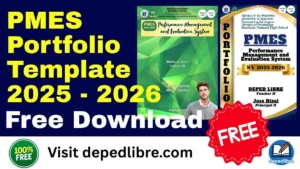
PMES Template Editable Free Download: Your Complete Guide to Effortless Teacher Portfolio Creation (SY 2025-2026)
Are you a Filipino teacher drowning in paperwork, trying to figure out how to organize your Performance Management and Evaluation System (PMES) portfolio? You’re definitely not alone. Every school year, thousands of dedicated educators spend countless hours creating portfolios from scratch—time that could be better spent on what you do best: teaching.
Here’s the good news: You don’t have to reinvent the wheel. In this comprehensive guide, we’re offering you a completely free, fully editable PMES template that’s already aligned with the latest DepEd guidelines. Whether you’re a Teacher I preparing your first portfolio or a Master Teacher looking to streamline your documentation, this article will walk you through everything you need to know about PMES templates and how to use them effectively.
What is PMES? Understanding the Performance Management and Evaluation System
Before we dive into the templates, let’s make sure we’re all on the same page about what PMES actually is—and more importantly, what it means for your daily life as a teacher.
The Evolution from RPMS to PMES
If you’ve been teaching for a few years, you’re probably familiar with RPMS (Results-Based Performance Management System). Well, PMES is the evolved, streamlined version of that system. Think of it as RPMS 2.0—designed to be less burdensome while still maintaining accountability and supporting your professional growth.
Key Changes You Need to Know:
The Department of Education has listened to teachers’ concerns about the previous system. Based on feedback about excessive workload, too many Means of Verification (MOVs), and costly portfolio requirements, DepEd has made significant improvements:
Previous System (RPMS) | New System (PMES) |
4 classroom observations required | Only 1-2 observations per year |
48 MOVs for Proficient Teachers | Reduced to just 7 MOVs |
54 MOVs for Highly Proficient Teachers | Reduced to only 5 MOVs |
Mandatory physical portfolio submission | No physical portfolio required |
Plus Factor as separate KRA | Plus Factor removed |
Heavy documentation burden | Streamlined, teacher-friendly approach |
What PMES Really Means for You
At its core, PMES is a framework designed to:
✅ Track your professional growth over a three-year cycle (SY 2025-2026 to 2027-2028)
✅ Align your performance with the Philippine Professional Standards for Teachers (PPST)
✅ Provide constructive feedback through coaching and mentoring
✅ Support your career advancement with fair, objective evaluations
✅ Reduce administrative burden so you can focus on teaching
Important Note: While physical portfolio submission is no longer mandatory, maintaining a personal repository (digital or physical) is still highly recommended for your own records and professional development.
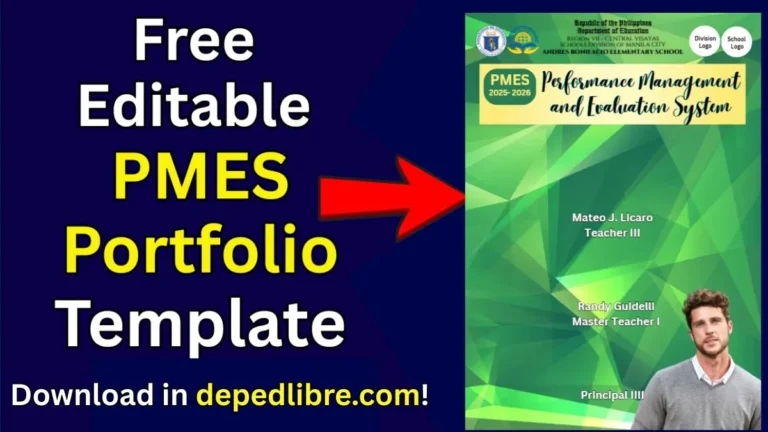
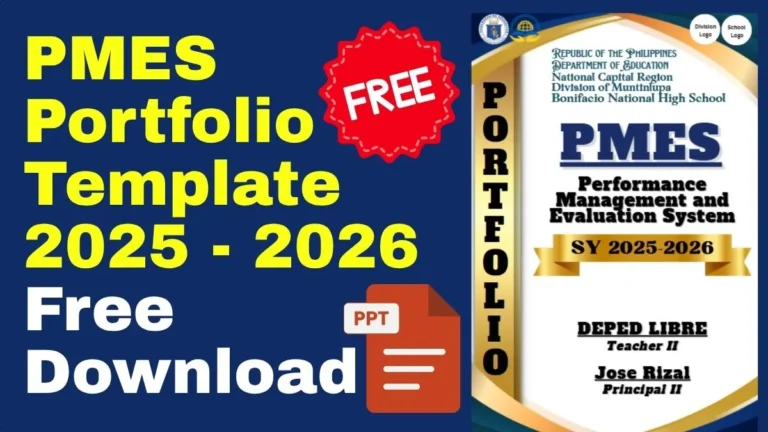
Which designs do you want to download?
Why You Absolutely Need a PMES Template
Let’s be honest—creating a professional-looking portfolio from a blank page is intimidating, time-consuming, and frankly, unnecessary when ready-made templates exist. Here’s why using a template is a game-changer:
Time is Your Most Valuable Resource
Think about it: How many hours would you spend designing layouts, choosing fonts, creating section dividers, and formatting everything to look professional? Probably 10-20 hours if you’re meticulous. Now imagine getting all of that done in under an hour just by downloading a template and filling in your information.
What teachers say about using templates:
“I used to spend entire weekends working on my portfolio. With a template, I finished everything in one afternoon and still had time to prepare my lessons for Monday.” — Teacher II, Quezon City
Professional Presentation Matters
Your portfolio isn’t just a collection of documents—it’s a representation of your professionalism and teaching excellence. A well-designed template ensures:
- Consistent formatting throughout all sections
- Visual appeal that makes reviewers actually want to read your portfolio
- Organized structure that’s easy to navigate
- DepEd compliance built right into the design
- Professional credibility that reflects your competence
Customization Without the Headache
The beauty of an editable template is that you get the best of both worlds: professional design with personal flexibility. You can:
- Add your school logo and personal information
- Adjust colors to match your preferences
- Include or remove sections based on your position level
- Insert your own MOVs and documentation
- Modify the layout to suit your teaching context
Understanding the Latest PMES Guidelines (SY 2025-2026)
To use your template effectively, you need to understand what DepEd actually requires. Let’s break down the current guidelines based on DepEd Memorandum No. 89, s. 2025 and DM No. 17, s. 2025.
The Multi-Year Framework (2025-2028)
This isn’t a one-year thing anymore. PMES now operates on a three-year cycle, which means:
Year 1 (SY 2025-2026): All 37 PPST indicators are assessed
Year 2 (SY 2026-2027): Continued assessment with growth focus
Year 3 (SY 2027-2028): Comprehensive cycle completion and review
This multi-year approach means less scrambling at year-end and more focus on genuine professional development.
What You Actually Need to Include
Gone are the days of preparing 48+ separate pieces of evidence. Here’s what you’ll actually present to your rater:
For Proficient Teachers (Teacher I-III):
Minimum of 7 Core Objectives with MOVs:
- Objective 1: Apply knowledge of content within and across curriculum teaching areas
- Objective 2: Use effective verbal and non-verbal classroom communication strategies
- Objective 4: Manage classroom structure to engage learners
- Objective 7: Plan, manage, and implement developmentally sequenced teaching
- Objective 8: Adapt teaching strategies for learners with disabilities, giftedness, and talents
- Objective 9: Adapt teaching strategies for learners in difficult circumstances
- Objective 14: Establish learning environments that promote fairness, respect, and care
For Highly Proficient Teachers (Master Teacher I-IV):
Minimum of 5 Non-Core Objectives with MOVs:
- Objective 3: Apply a range of teaching strategies
- Objective 5: Apply a range of teaching strategies that enhance learner achievement
- Objective 6: Maintain learning environments that nurture learners
- Objective 11: Evaluate program effectiveness to improve teaching
- Objective 12: Pursue professional reflection and learning
Types of Acceptable MOVs (Means of Verification)
Your template should have space for these types of evidence:
Documentary Evidence:
- Lesson plans with annotations
- Learning Activity Sheets (LAS)
- Daily Lesson Logs (DLL)
- Assessment tools and results
- Action research (for Master Teachers)
- Innovation projects
- Professional development certificates
Visual Evidence:
- Classroom photos showing learning environments
- Student work samples
- Bulletin board displays
- Teaching materials and resources
Digital Evidence:
- Google Classroom screenshots
- Online assessments
- Video clips of teaching (optional)
- Digital student outputs
Pro Tip: Your template should organize these MOVs by objective, making it easy for your rater to review and for you to present during evaluation meetings.
Share to your friends!
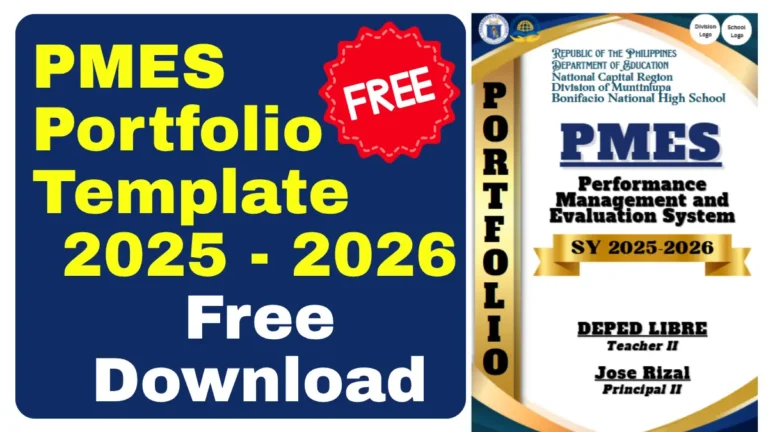
Download the different designs of PMES Free Editable below!



What Makes a Great PMES Template?
Not all templates are created equal. Before you download just any template you find online, make sure it has these essential features:
Essential Template Features Checklist
✅ Professional Cover Page with space for:
- Your photo
- Full name and position
- School name and division
- School year
- Contact information
✅ Table of Contents that’s:
- Automatically updating (if PowerPoint/Word)
- Clearly organized by KRA and objectives
- Easy to navigate
✅ KRA Section Dividers for:
- KRA 1: Content Knowledge and Pedagogy
- KRA 2: Learning Environment and Diversity of Learners
- KRA 3: Curriculum and Planning
- KRA 4: Assessment and Reporting
- KRA 5: Community Linkages and Professional Engagement
✅ Objective Pages that include:
- Objective statement
- Indicator description
- Space for MOV listing
- Annotation area
- Rating section
✅ Professional Design Elements:
- Consistent color scheme (preferably DepEd-inspired)
- Readable fonts (Arial, Calibri, or similar)
- Adequate white space
- Professional imagery
- Clean, modern layout
✅ Editable Formats:
- Microsoft PowerPoint (.pptx) – preferred by most teachers
- Microsoft Word (.docx) – for text-heavy documentation
- Canva link (for online editing)
- Google Slides compatible
What to Avoid in Templates
❌ Overly decorative designs that distract from content
❌ Outdated RPMS formatting not aligned with current PMES
❌ Non-editable PDFs that force you to start over
❌ Templates requiring paid software beyond basic Microsoft Office
❌ Unclear or missing sections that don’t match DepEd requirements
How to Use Your PMES Template Effectively
You’ve downloaded your free template—now what? Let’s walk through the step-by-step process of transforming that template into your personalized professional portfolio.
Step 1: Gather Your Materials First
Before you even open the template, collect all your documentation. Create folders on your computer or physical files for:
Teaching Materials:
- Best lesson plans from throughout the year
- Daily Lesson Logs showing variety and quality
- Learning Activity Sheets you’ve created or adapted
- Assessment tools and student results
Professional Development:
- Training certificates and seminars attended
- Webinar completion certificates
- Professional learning community (PLC) documentation
- LAC session attendance records
Student Evidence:
- Sample student work (with names redacted for privacy)
- Before/after learning progress documentation
- Photos of classroom activities
- Student feedback or testimonials (if applicable)
Innovation and Leadership:
- Action research proposals or completed studies
- Innovative teaching strategies documentation
- Mentoring records (if you mentor other teachers)
- Community engagement activities
Organizational Tip: Create a master folder titled “PMES SY 2025-2026” with subfolders for each KRA. As you gather materials throughout the year, immediately file them in the appropriate folder. This saves massive headaches later!
Step 2: Customize the Cover and Introduction
Open your downloaded template and start with personalization:
Cover Page Customization:
- Insert your professional photo (formal, clear, school setting if possible)
- Fill in your complete name and teacher position
- Add your school name, division, and region
- Verify the school year is correct (2025-2026 or current year)
- Include any relevant contact information
Personal Statement/Philosophy (if included): Write a brief (150-300 word) teaching philosophy that reflects:
- Your core beliefs about education
- Your approach to student learning
- Your commitment to professional growth
- Alignment with DepEd’s vision and mission
Step 3: Populate Each KRA Section
This is where your organized files come in handy. For each objective:
Process for Each Objective:
- Read the indicator carefully to understand exactly what’s being assessed
- Select your best evidence that demonstrates mastery of that objective
- Add clear descriptions of each MOV you’re including
- Write annotations explaining how the evidence shows your competence
- Include context about when and how you implemented the practice
Sample Annotation Format:
MOV: Differentiated Lesson Plan – Mathematics Grade 7 (Integers)
Date Implemented: October 15, 2025
Annotation:
This lesson plan demonstrates Objective 8 (adapting strategies for diverse learners)
through three distinct learning activities designed for different proficiency levels.
Visual learners engaged with number line manipulatives, kinesthetic learners used
movement activities for positive/negative integers, and advanced learners tackled
real-world problem-solving scenarios. Assessment results showed 85% mastery across
all learning modalities, with struggling students improving by an average of 23%
from pre-test to post-test.
Step 4: Add Supporting Documentation
Don’t just list your MOVs—include actual evidence:
For PowerPoint Templates:
- Insert photos of your classroom setup
- Add screenshots of digital resources
- Include scanned certificates
- Embed sample pages from lesson plans
For Word Templates:
- Create appendices for full documents
- Use hyperlinks to digital files
- Insert tables showing student results
- Include charts demonstrating growth
Step 5: Quality Check and Finalize
Before you consider your portfolio complete:
✅ Proofread everything – spelling errors undermine professionalism
✅ Check all page numbers – ensure table of contents matches
✅ Verify dates and details – accuracy matters
✅ Review alignment – make sure fonts, colors, and spacing are consistent
✅ Test all links – if you’ve included hyperlinks, ensure they work
✅ Get a second opinion – have a colleague review for clarity
✅ Save multiple versions – keep backup copies in different locations
FREE Download: Your Complete PMES Template Package
Now for what you’ve been waiting for—your completely free, editable PMES template!
What’s Included in Your Free Download
When you download our PMES Template Editable Free package, you’ll receive:
📁 PowerPoint Template (.pptx)
- Fully editable slides for all 5 KRAs
- Professional design with DepEd-inspired theme
- Separate slides for each objective
- Pre-formatted tables for MOV listing
- Cover page and table of contents
- Section dividers for easy navigation
📁 Microsoft Word Template (.docx)
- Text-focused format for detailed narratives
- Perfect for annotation-heavy portfolios
- Easily printable format
- Structured sections for all objectives
📁 Canva Template Link
- Edit online without downloading software
- Collaboration-friendly for teams
- Modern, customizable design
- Easy sharing options
📁 Bonus Resources:
- Sample annotations guide
- MOV checklist by objective
- PMES timeline and reminders
- Quick reference guide for PPST indicators
Download Instructions
To get your FREE PMES Template Editable download:
- No signup required – We believe in truly free resources
- No hidden fees – Everything is completely free
- Instant access – Download immediately
- Multiple formats – Choose what works best for you
- Unlimited use – Use for current and future school years
DOWNLOAD YOUR FREE PMES TEMPLATE EDITABLE NOW!
Simply click the download button and choose your preferred format. The file will download as a .docx (Word) file that you can immediately edit and customize.
How to Access Additional Formats
If you prefer PowerPoint or need the Canva version:
- PowerPoint version: Available in the downloads section
- Canva template: Access through the provided shareable link
- Google Slides: Import the PowerPoint version into Google Drive
All formats are 100% free with no restrictions on use!
Different PMES Templates for Different Positions
Your teaching position determines which PPST career stage you’re in, and therefore which template sections you’ll need to focus on. Let’s break this down:
Template for Proficient Teachers (Teacher I – Teacher III)
If you’re a Teacher I, II, or III, you’ll use the Proficient Teacher template which emphasizes:
Focus Areas:
- Classroom management and organization
- Effective teaching strategies and methodologies
- Student engagement and participation
- Professional collaboration with peers
- Adherence to curriculum standards
Key Objectives You’ll Document:
- All 7 Core Objectives (including classroom observation targets)
- Selected Non-Core Objectives based on your teaching context
- Professional development activities
- Community engagement initiatives
Template Features You Need:
- Space for lesson plan documentation
- Classroom management strategies section
- Student assessment results tracking
- Professional growth plan integration
Template for Highly Proficient Teachers (Master Teacher I – IV)
Master Teachers require a different emphasis in their portfolios:
Focus Areas:
- Mentoring and coaching other teachers
- Leading professional learning communities
- Conducting action research
- Innovating teaching practices
- Strategic curriculum development
Key Objectives You’ll Document:
- All 5 Non-Core Objectives required for Master Teachers
- Leadership initiatives and outcomes
- Research projects and findings
- Teacher mentoring records
- School improvement contributions
Template Features You Need:
- Action research documentation sections
- Mentoring log templates
- Professional development facilitation records
- Innovation project documentation
- Leadership activities tracking
Specialized Templates
Some teachers need unique template configurations:
Alternative Learning System (ALS) Teachers:
- Modified objectives relevant to ALS context
- Community-based learning documentation
- Flexible scheduling evidence
- Non-traditional assessment methods
Special Needs Education (SNED) Teachers:
- IEP (Individualized Education Program) documentation
- Adaptive teaching strategies
- Specialized assessment tools
- Collaboration with therapists and specialists
Madrasah Teachers:
- Integration of Islamic values education
- Cultural sensitivity in teaching practices
- Arabic language instruction documentation
- Community engagement with Muslim families
Disclaimer:
Some educational materials may be inspired by or aligned with DepEd curriculum standards.
However:
All materials uploaded or created are intended to support teachers and students.
If any copyrighted content is unintentionally shared, please contact us immediately for removal or proper attribution.
We respect intellectual property rights and respond promptly to valid copyright concerns.
Latest News!
Download more files below!
- Adviser Files
- Aral Program Materials
- Brigada Eskwela Files
- COT Lesson Plans
- Daily Lesson Log (DLL)
- Deped Files
- Deped Modules
- Graduation Program/Files
- Homeroom Guidance Modules
- Matatag Curriculum Guide
- Matatag Lesson Exemplars
- National Learning Camp Files
- NAT Reviewer (New)
- Periodical Test (All Subjects)
- PowerPoint Game Templates
- Summative Tests/ Perfor Task
- Teacher Loans