
Grade 4 Bulletin Board First Term Free Download
Table of Contents
1. Why Grade 4 Bulletin Boards Matter: Beyond Classroom Decoration
When most people think of bulletin boards, they imagine simple wall decorations. But for Grade 4 teachers, these displays are so much more. They’re powerful learning tools that transform your classroom environment and directly impact student engagement.
The Psychological Impact on Student Learning
Research in educational psychology shows that visually rich learning environments significantly improve student focus and retention. Grade 4 students, typically between 9-10 years old, are developing their organizational skills and learning independence. A well-designed bulletin board serves as a visual anchor for classroom expectations, learning objectives, and important information.
Here’s what makes bulletin boards invaluable for this age group:
- Visual learners benefit most: Approximately 65% of the population learns better through visual information
- Creates classroom culture: Displays celebrating student work build confidence and community
- Reinforces learning objectives: Visible learning goals keep students focused on what matters
- Reduces classroom management issues: Organized, purposeful displays minimize distractions
- Develops independent learners: Clear visual systems help Grade 4 students navigate tasks without constant teacher direction
The First Term Advantage
The first term of the school year sets the tone for everything that follows. Strategic bulletin board displays during this crucial period help establish:
- Classroom routines and procedures
- Learning expectations
- Student identity and belonging
- Subject-specific interest and excitement
2. Understanding the First Term Focus: What Grade 4 Students Need to See
Before designing your bulletin board, consider what Grade 4 students specifically need during the first term of the school year.
Age-Appropriate Content for Grade 4
Grade 4 students are transitioning from concrete to more abstract thinking. They’re developing stronger reading skills, becoming more socially aware, and beginning to take pride in their academic work.
The first-term bulletin board should address:
Content Focus | Why It Matters | Examples |
Classroom Rules & Expectations | Students need clear boundaries and routines | Visual behavior charts, responsibility posters |
Student Introductions | Builds community and belonging | “All About Me” displays, family connections |
Subject Interest Builders | Creates excitement for learning | Hook displays, preview of upcoming topics |
Learning Process Visuals | Teaches academic independence | Step-by-step guides, problem-solving strategies |
Achievement Celebration | Motivates continued effort | Student work showcases, certificate displays |
SEL Components | Supports emotional development | Kindness reminders, growth mindset messages |
Alignment with Curriculum Standards
The most effective Grade 4 bulletin board first term displays aren’t random decorations—they’re strategically aligned with:
- DepEd K-12 learning standards
- MATATAG curriculum goals
- Subject-specific learning objectives
- Whole-child development approaches
3. Essential Elements of an Effective Grade 4 Bulletin Board
Creating a bulletin board that truly serves your students requires understanding the key components of effective classroom displays.
The Five Components of Successful Bulletin Boards
- Clear Visual Hierarchy
Your bulletin board should guide the eye naturally through the display. This means:
- One focal point that draws attention first
- Supporting information arranged around the main message
- Adequate white space to prevent visual overwhelm
- Font sizes that vary strategically
Why it matters for Grade 4: At this age, students can process more complex information, but they still benefit from clear visual organization that prevents cognitive overload.
- Age-Appropriate Design
Grade 4 students aren’t interested in cutesy cartoon designs. They appreciate:
- Clean, modern aesthetics
- Real photographs mixed with illustrations
- Color schemes with meaning (not random rainbow colors)
- Professional-looking borders and frames
Avoid: Overly childish designs, cluttered backgrounds, or designs that feel “babyish” to upper elementary students.
- Interactive Components
The most engaging bulletin boards invite student participation:
- Questions that encourage thinking
- Student work samples that rotate
- Space for student contributions
- Elements students can manipulate or adjust
Studies show that interactive bulletin boards increase student engagement by up to 40% compared to static displays.
- Purposeful Content
Every element on your bulletin board should serve a specific purpose:
- Teaching new concepts
- Reinforcing learning
- Celebrating student achievement
- Communicating information
- Building classroom community
- Regular Maintenance Schedule
The most beautiful bulletin board loses impact if it becomes outdated. Plan to:
- Update weekly or bi-weekly during the first term
- Replace student work samples regularly
- Keep surfaces clean and organized
- Fix any torn or damaged elements immediately
4. Step-by-Step Design Process: From Concept to Classroom
Creating your Grade 4 first term bulletin board doesn’t require advanced artistic skills. Follow this proven process:
Step 1: Plan Your Purpose (15 minutes)
Before touching a single paper, define your bulletin board’s purpose:
Ask yourself:
- What is the primary message?
- Who is the audience? (Students, parents, visitors, or all three?)
- What do I want viewers to feel or learn?
- How long will this display stay up?
First-Term Focus Areas:
- Classroom expectations and routines
- “Meet the Class” featuring students
- Subject-specific introduction displays
- Learning goal visuals
- Community-building themes
Step 2: Gather Your Materials
Essential supplies for Grade 4 bulletin boards:
- Colored bulletin board paper (background)
- Title letters (printed, die-cut, or hand-cut)
- Student artwork or photos
- Borders and decorative elements
- Push pins, staples, or adhesive
- Optional: laminating sheets for durability
Pro tip: Laminate frequently-used display components to use them for multiple boards throughout the year.
Step 3: Design the Layout
Create a simple sketch or use a digital template:
- Mark your focal point (typically upper-left or center)
- Plan where supporting elements go
- Identify space for student contributions
- Leave appropriate margins and white space
Step 4: Create Your Content
Title creation tips:
- Use keywords from your teaching objectives
- Make it intriguing or question-based
- Use contrasting colors for readability
- Keep it to 5 words or fewer
Content preparation:
- Print or create text elements
- Collect student samples or photos
- Prepare interactive components
- Gather decorative elements
Step 5: Assembly and Installation
- Start with background paper
- Add borders and frames
- Position title prominently
- Arrange main content
- Add interactive or adjustable components
- Install decorative elements last
Step 6: Final Review Checklist
Before considering your bulletin board complete:
- ✓ Title is visible from 6 feet away
- ✓ Content aligns with Grade 4 learning level
- ✓ Colors work together harmoniously
- ✓ Information is current and accurate
- ✓ Student contributions are included
- ✓ Display supports learning objectives
✓ Interactive elements are functional
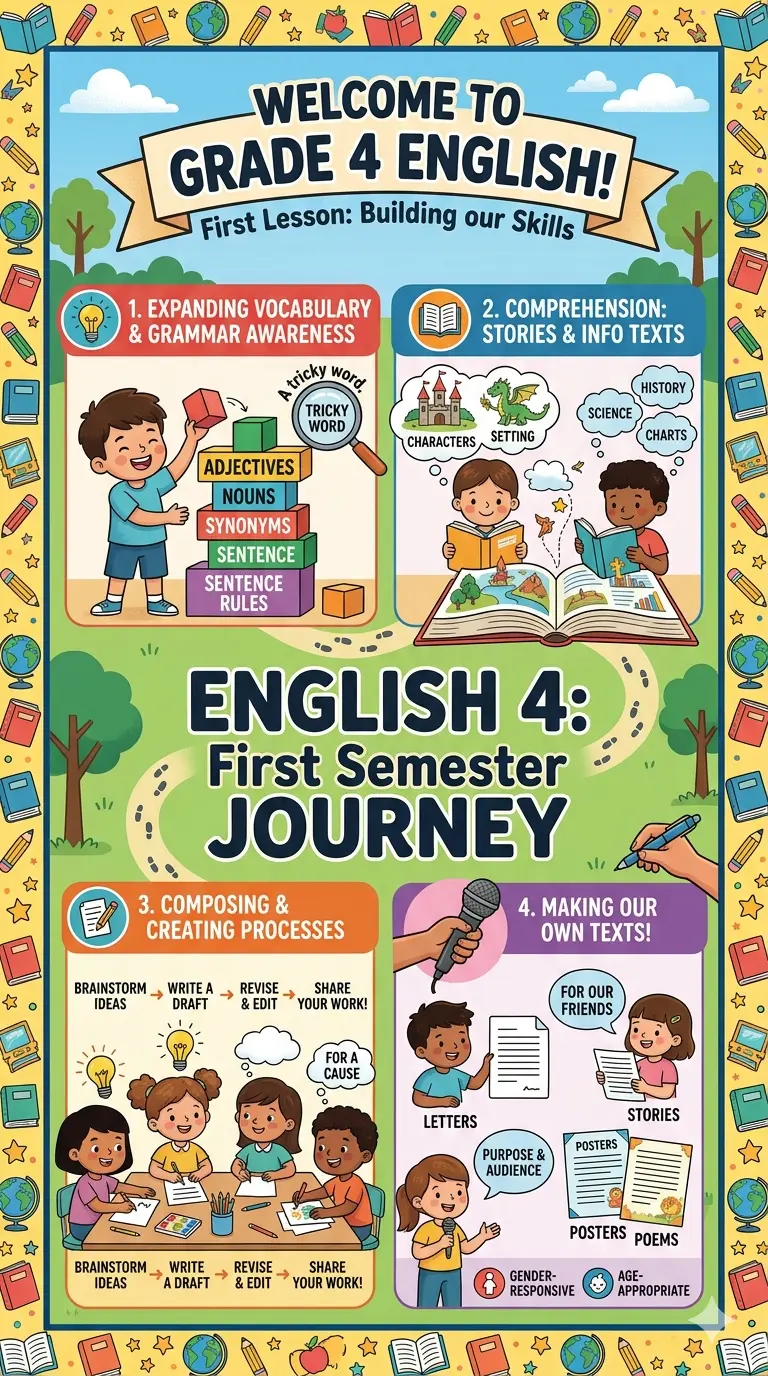
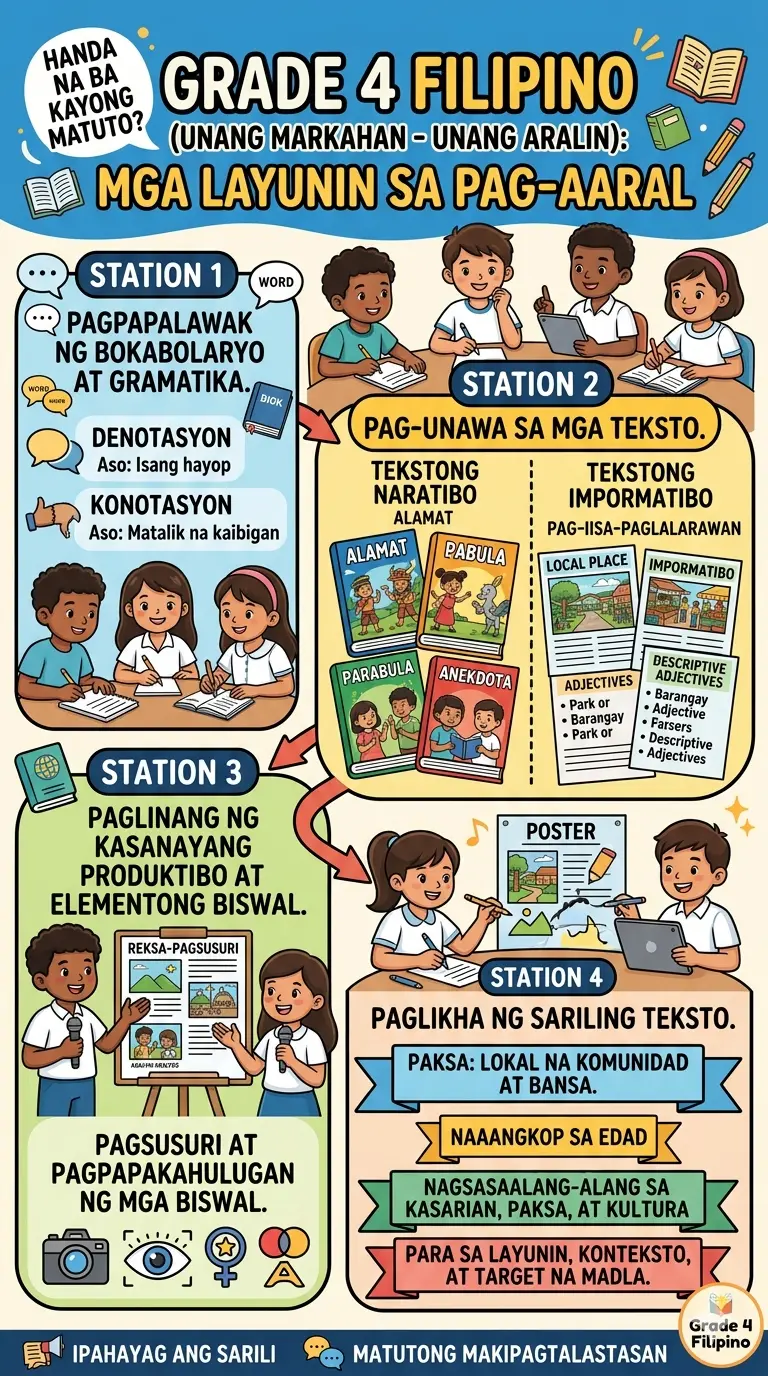
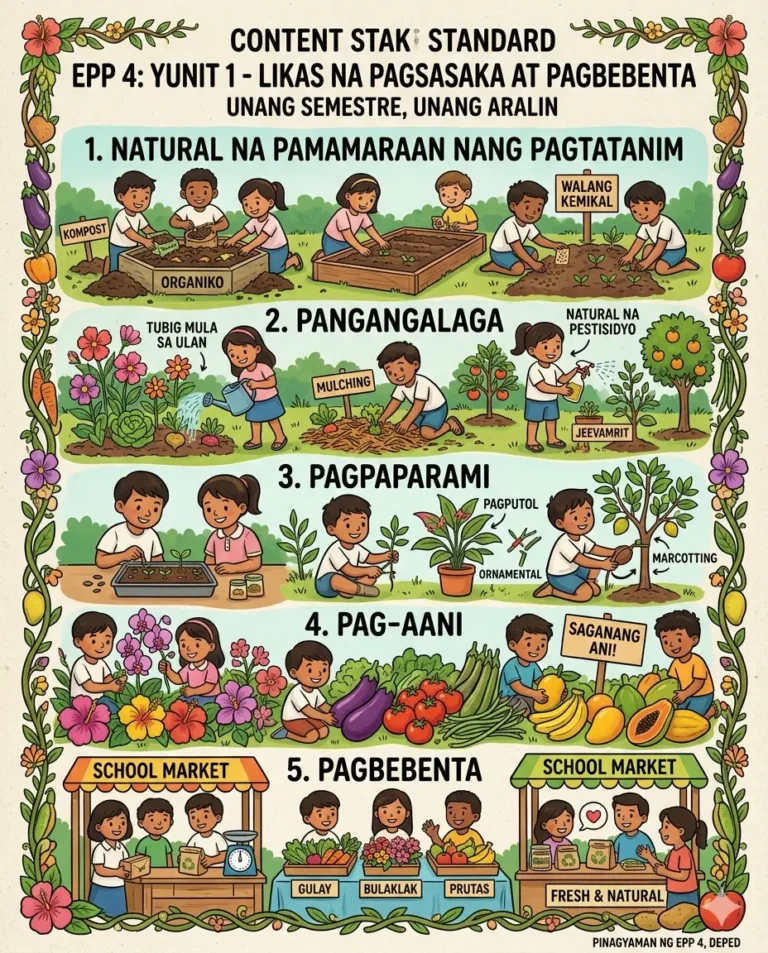
Download here the Grade 4 Bulletin Board First Term!
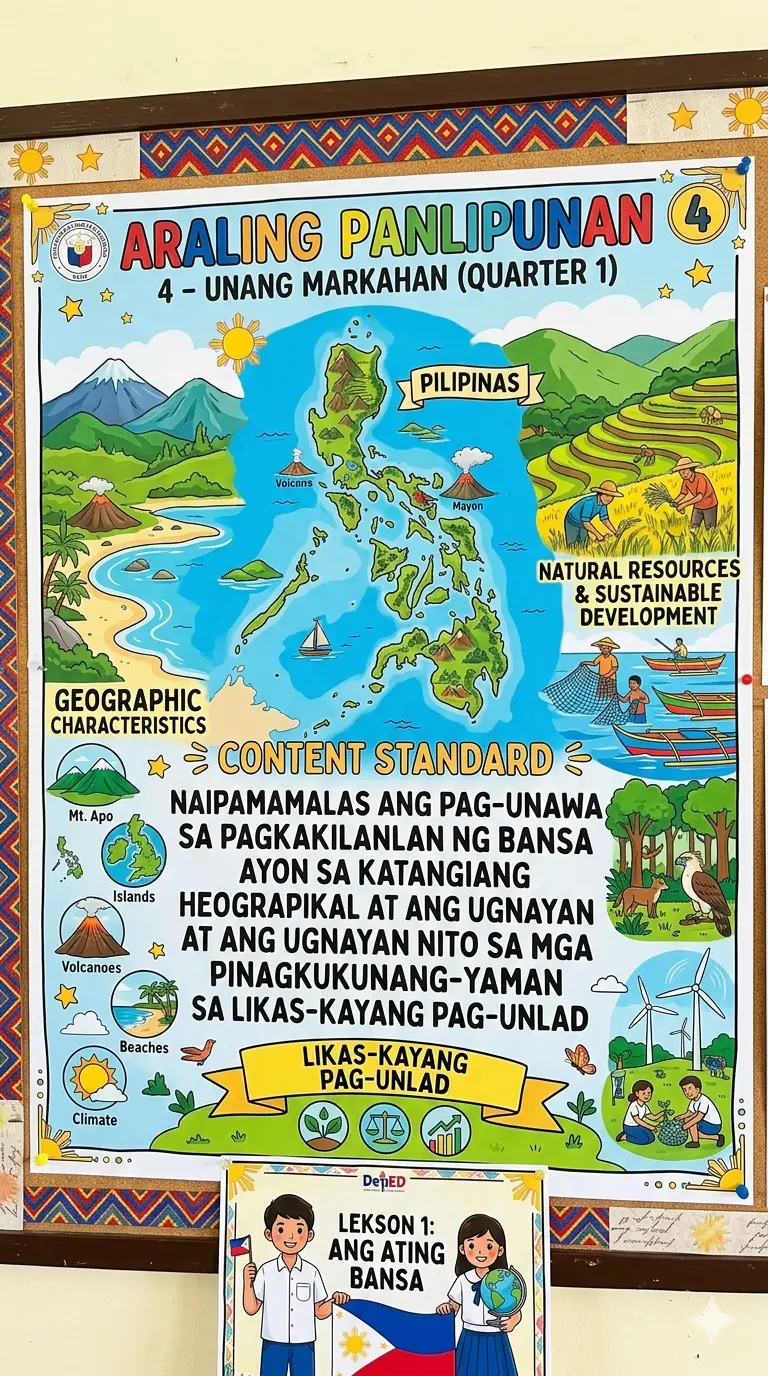
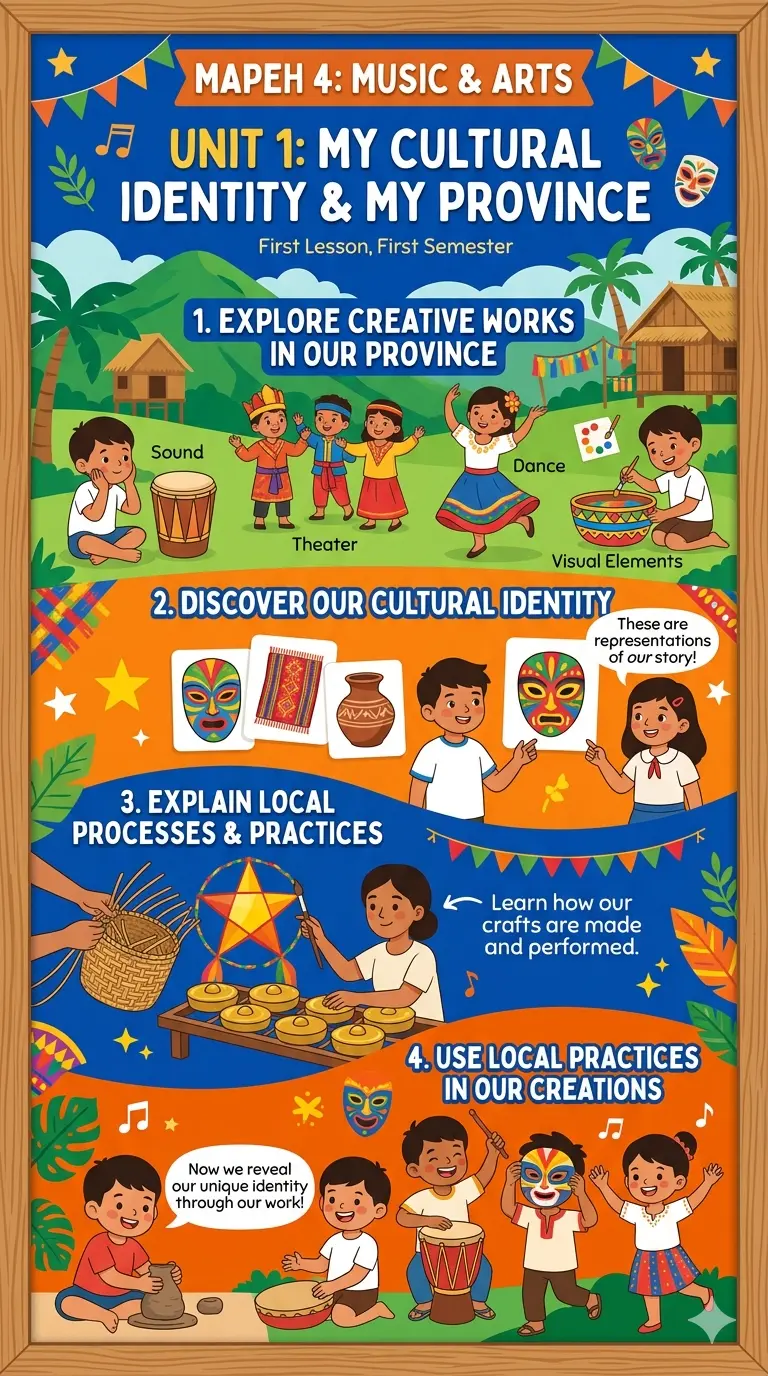
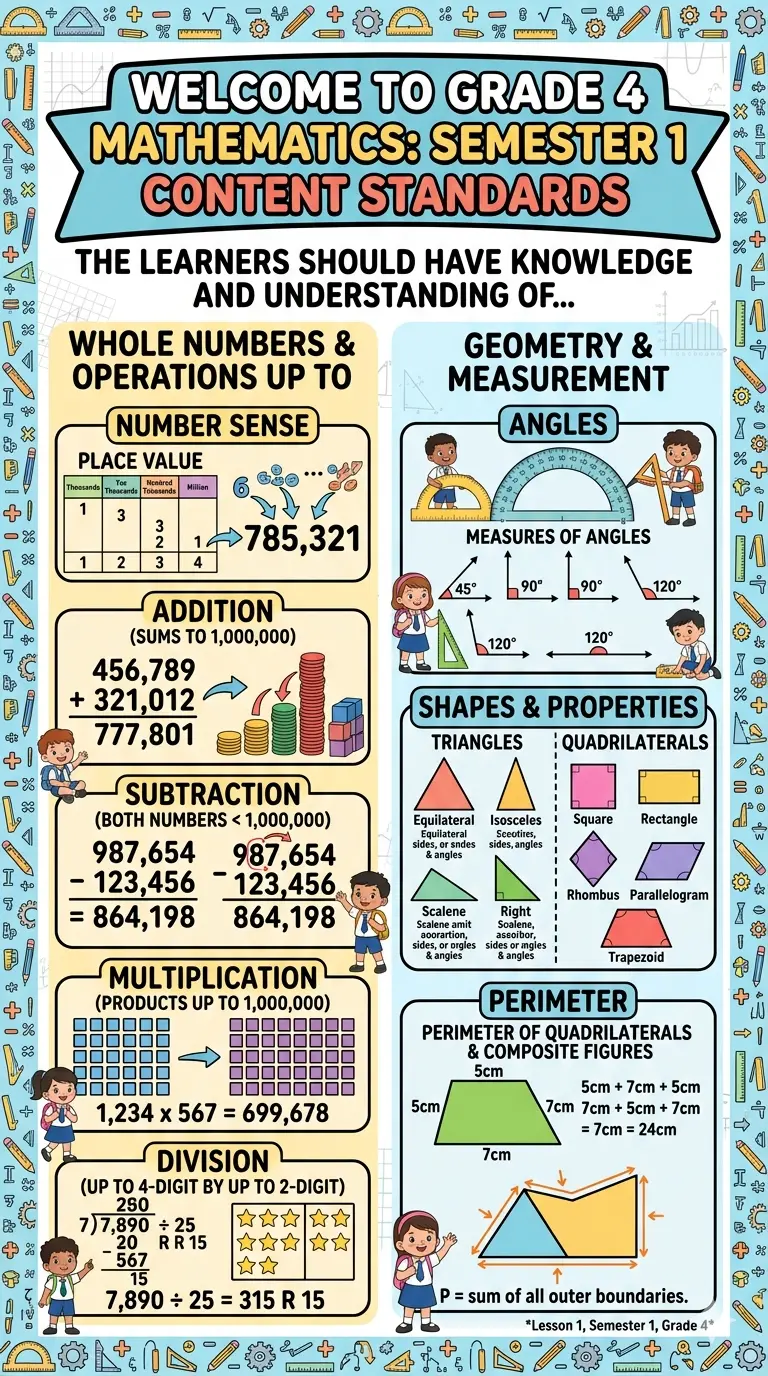
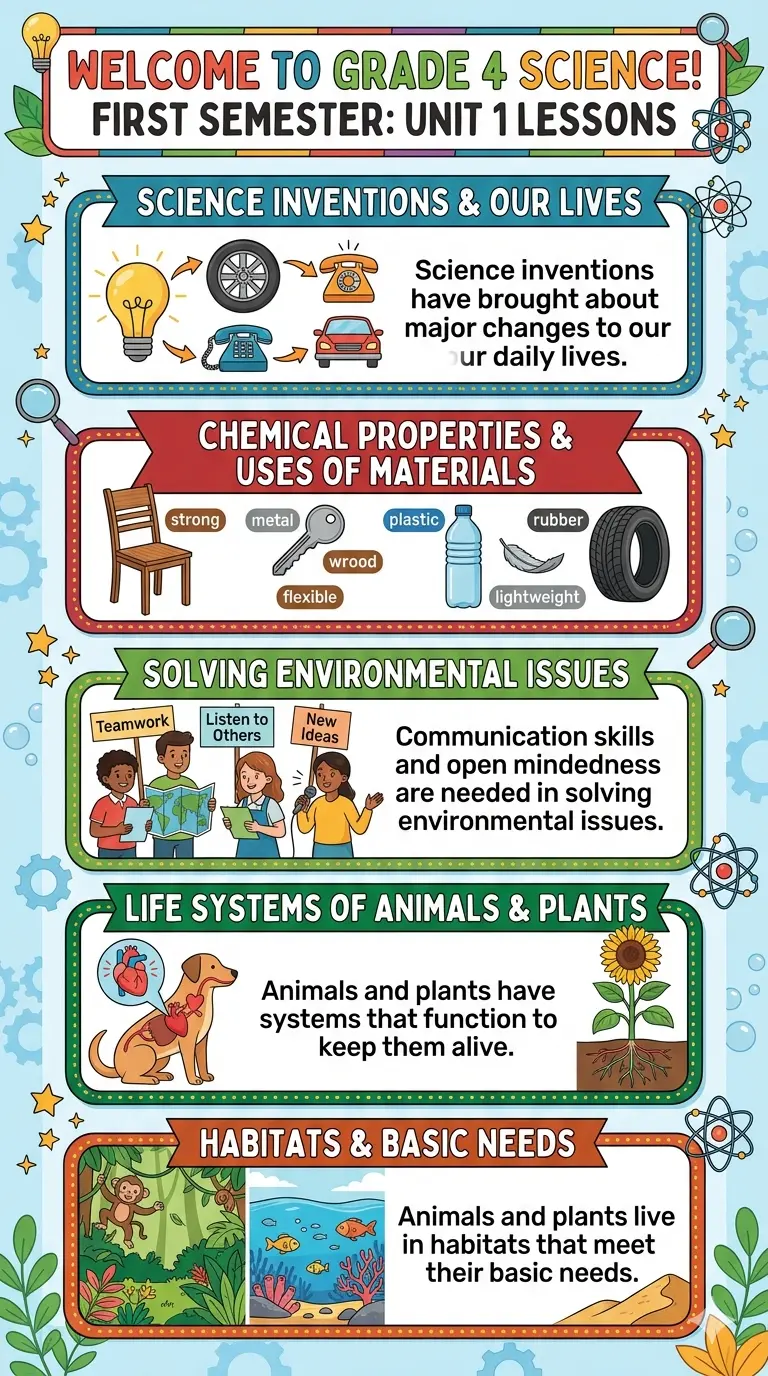
Share to your friends!
Download here more Grade 4 Learning Materials!




5. Subject-Specific Bulletin Board Ideas for Grade 4 First Term
Different subjects require different approaches to bulletin board displays. Here’s how to create subject-specific first-term displays:
Mathematics Bulletin Board
First-term focus areas:
- Number sense and place value
- Basic operations strategies
- Problem-solving processes
- Mathematical vocabulary
Display ideas:
- “How We Solve Problems” with visual strategy charts
- Number pattern activities students complete
- “Numbers All Around Us” featuring real-world math
- Place value visual representations
Interactive element: Rotating math challenges students solve throughout the week
English Language Arts Bulletin Board
First-term focus areas:
- Reading comprehension strategies
- Writing process introduction
- Classroom reading goals
- Author and book exploration
Display ideas:
- “Reading Strategies We Use” with visual demonstrations
- Student “About Me” reading samples
- Book recommendations board
- Vocabulary wall for word learning
Interactive element: “What Are You Reading?” tracker showing student book selections
Science Bulletin Board
First-term focus areas:
- Scientific inquiry introduction
- Observation skills
- Life cycles or seasonal changes
- Basic scientific vocabulary
Display ideas:
- “The Scientific Process” step-by-step visual
- Seasonal observations students contribute
- Interesting natural phenomena displays
- “Science Questions We’re Asking” board
Interactive element: Observational drawings or photos students add
Social Studies Bulletin Board
First-term focus areas:
- Community helpers
- Map skills introduction
- Cultural awareness
- Citizenship values
Display ideas:
- “Meet Our Community” featuring local helpers
- Map skills progression displays
- Cultural diversity celebration
- Citizenship and kindness examples
Interactive element: Student contributions about their communities
6. Interactive Bulletin Boards vs. Static Displays: Why Engagement Matters
Many teachers create beautiful static bulletin boards that look impressive on opening day—and then don’t change all year. Interactive bulletin boards work differently.
Static Bulletin Boards: When and Why
Best uses:
- Reference materials (alphabet, number lines, multiplication facts)
- Permanent classroom information
- Inspirational messages
- Long-term displays that build throughout the term
Grade 4 consideration: These work well for displays that provide consistent support for learning, but shouldn’t be your only bulletin board type.
Interactive Bulletin Boards: The Engagement Game Changer
Why interactive bulletin boards work:
- Students actively participate in learning
- Displays stay fresh and engaging
- Information becomes personalized
- Student responsibility increases
Interactive elements to include:
Interactive Feature | How It Works | Example |
Movable parts | Students adjust, sort, or arrange | Sentence building, character alignment |
Question prompts | Students respond or contribute | “What would you do?” scenarios |
Rotation system | Student work changes weekly | Showcased math solutions, writing samples |
Student contributions | Ongoing student additions | Weekly goals, kind compliments, discoveries |
Checklist elements | Students mark completion | Learning target progression, book challenge |
Choice activities | Students select from options | Opinion voting, project choice voting |
The Research Behind It
Studies show that Grade 4 students who interact with bulletin boards at least 3 times weekly:
- Retain information 25% longer
- Show increased classroom engagement
- Develop stronger reading skills
Display better classroom behavior


Disclaimer:
Some educational materials may be inspired by or aligned with DepEd curriculum standards.
However:
All materials uploaded or created are intended to support teachers and students.
If any copyrighted content is unintentionally shared, please contact us here depedlibre@gmail.com immediately for removal or proper attribution.
We respect intellectual property rights and respond promptly to valid copyright concerns.
Common Questions About Grade 4 Bulletin Boards Answered
Q: How often should I change my Grade 4 bulletin boards?
A: For the first term, update interactive elements weekly and rotate student work samples every 1-2 weeks. This frequency keeps the display fresh and maintains student engagement. Reference displays can stay longer, but always refresh them if they become dated or worn.
Q: My Grade 4 class has diverse learning levels. How do I create bulletin boards that work for everyone?
A: This is why interactive bulletin boards excel. They can include elements at different complexity levels:
- Simple visual instructions for struggling readers
- Challenge questions for advanced thinkers
- Multiple entry points for participation
- Varied types of student work samples
Q: How big should my Grade 4 bulletin board be?
A: A standard bulletin board that’s 4 feet wide by 3 feet tall works perfectly for Grade 4. This size is:
- Large enough to be visible across the classroom
- Not so large that it becomes overwhelming
- Easy for students to interact with safely
- Manageable for one teacher to create and maintain
Q: What if my Grade 4 students don’t want to contribute to bulletin boards?
A: Grade 4 students are developing their self-consciousness, and not all feel comfortable with public displays. Offer choices:
- Optional signatures instead of full names
- Group contributions instead of individual
- Digital versions instead of displayed work
- Anonymous contributions for opinion questions
- Private option to contribute without public display
Q: How can I make bulletin boards accessible for all students?
A: Inclusive design matters:
- Mount interactive elements at varying heights
- Use clear fonts with good contrast
- Include text alternatives for visual elements
- Provide tactile components for different learning styles
- Ensure reaching interactive elements doesn’t require difficult mobility
Q: Can I use the same bulletin board design multiple years?
A: Absolutely! Creating templates you can reuse saves time and maintains consistency. However:
- Update student work and photos each year
- Refresh colors if they become faded
- Add current dates and information
- Personalize for your current class
- This is an excellent time investment that pays dividends
Q: What should I do if my bulletin board looks “too cluttered”?
A: Clutter happens when:
- There’s insufficient white space (aim for 30% of the board as open space)
- Too many different fonts are used (stick to 2-3 maximum)
- Colors don’t coordinate (choose a 3-color palette)
- Text is too small and crammed together
Solution: Step back 10 feet and view your board. If you can’t read the title or focus on the main message, it needs decluttering. Remove non-essential elements until the focal point is clear.
Don’t forget to Follow our Facebook page for more free learning materials!
Latest News!
Download more files below!
- Adviser Files
- Aral Program Materials
- Brigada Eskwela Files
- COT Lesson Plans
- Daily Lesson Log (DLL)
- Deped Files
- Deped Modules
- Graduation Program/Files
- Homeroom Guidance Modules
- Matatag Curriculum Guide
- Matatag Lesson Exemplars
- National Learning Camp Files
- NAT Reviewer (New)
- Periodical Test (All Subjects)
- PowerPoint Game Templates
- Summative Tests/ Perfor Task
- Teacher Loans


Recent Posts
Download (by grade level)!
Grade 9 Files
Grade 10 Files
Grade 11 Files
Grade 12 Files