
PMES Free Download Template PPT
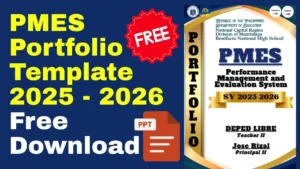
PMES Free Download Template PPT: Your Complete 2025-2026 Guide for Filipino Teachers
Are you a Filipino teacher scrambling to organize your Performance Monitoring and Evaluation System (PMES) portfolio before the deadline? You’re not alone. Thousands of educators across the Philippines face the same challenge every school year—compiling months of teaching documentation, student outputs, and professional development records into a comprehensive, presentation-ready format.
The good news? You can download a professionally designed PMES template in PowerPoint format absolutely FREE, saving you countless hours of formatting and allowing you to focus on what truly matters: showcasing your excellent teaching practice.
In this comprehensive guide, I’ll walk you through everything you need to know about PMES portfolio templates, where to download the best free PPT versions, and how to customize them to perfectly reflect your unique teaching journey.
Table of Contents
- What is PMES and Why Do You Need a Portfolio Template?
- Why PowerPoint (PPT) Format is Perfect for PMES Portfolios
- FREE PMES Template PPT Download – Multiple Options
- What’s Included in a Complete PMES Portfolio Template
- How to Customize Your PMES PPT Template
- PMES vs RPMS vs IPCRF: Understanding the Differences
- Tips for Creating an Outstanding PMES Portfolio
- Common Mistakes to Avoid
- Frequently Asked Questions
What is PMES and Why Do You Need a Portfolio Template?
Understanding PMES in the Philippine Education System
The Performance Monitoring and Evaluation System (PMES) is DepEd’s framework for tracking, evaluating, and improving teacher performance in alignment with the Philippine Professional Standards for Teachers (PPST).
Think of PMES as your professional narrative—a comprehensive story of your growth, achievements, and impact as an educator throughout the school year.
The PMES Portfolio: Your Professional Showcase
Your PMES portfolio serves multiple critical purposes:
Purpose | Why It Matters |
Performance Evaluation | Provides evidence for your rating under RPMS-PPST |
Career Advancement | Required for promotions and reclassification |
Professional Growth | Documents your continuous learning and development |
Accountability | Shows compliance with DepEd standards and requirements |
Reflection | Helps you assess your own teaching effectiveness |
Pro Tip from a Fellow Teacher: “I used to spend entire weekends just setting up the layout and design of my portfolio. Since discovering free PPT templates, I can now dedicate that time to actually reflecting on my teaching practice and selecting meaningful evidence.”
Why a Template Makes All the Difference
Let’s be honest—as teachers, our plates are perpetually full. Between:
- Daily lesson planning and delivery
- Checking student outputs and assessments
- Attending meetings and trainings
- Managing classroom behavior
- Communicating with parents
- Fulfilling school duties
…the last thing you need is to become a graphic designer or spend hours formatting documents.
A well-designed PMES template solves this problem by providing:
✅ Pre-formatted layouts aligned with DepEd requirements
✅ Professional aesthetics that impress evaluators
✅ Time-saving structure – just plug in your data
✅ Customizable sections for your grade level and subject
✅ Consistent visual presentation throughout
Why PowerPoint (PPT) Format is Perfect for PMES Portfolios
You might wonder: “Why PPT? Can’t I just use Word or PDF?”
While you can use other formats, PowerPoint offers unique advantages that make it the preferred choice for thousands of Filipino teachers:
- Visual Appeal and Professional Design
PowerPoint is built for presentations. Unlike Word documents, PPT templates come with:
- Eye-catching slide layouts
- Color-coordinated themes
- Customizable graphics and icons
- Photo frames and placeholders
- Professional fonts and typography
Result: Your portfolio looks polished and impressive, even if you have zero design skills.
- Easy Navigation and Organization
PPT portfolios allow for:
- Hyperlinked table of contents – click to jump to any section
- Section dividers that clearly separate KRA 1-5
- Visual tabs for quick reference
- Slide thumbnails for at-a-glance organization
Result: Evaluators can easily find what they need, and you can present your work more effectively.
- Flexibility for Print or Digital Submission
Modern DepEd evaluation allows both formats:
- For Digital Submission: Save as PDF or submit the .pptx file
- For Print Submission: Print as handouts (1, 2, or 4 slides per page)
- For Presentation: Project during face-to-face evaluation
Result: One template works for multiple submission requirements.
- Easier to Edit Than Other Formats
Let’s compare:
Format | Ease of Editing | Design Options | Compatibility |
PowerPoint | ⭐⭐⭐⭐⭐ Very Easy | ⭐⭐⭐⭐⭐ Excellent | ⭐⭐⭐⭐⭐ Universal |
Word | ⭐⭐⭐ Moderate | ⭐⭐⭐ Limited | ⭐⭐⭐⭐ Good |
Canva | ⭐⭐⭐⭐ Easy | ⭐⭐⭐⭐⭐ Excellent | ⭐⭐⭐ Requires Internet |
⭐ Very Difficult | ⭐ None (static) | ⭐⭐⭐⭐⭐ Universal |
Result: You can make quick edits, add new slides, or reorganize sections in minutes.
- Compatibility Across Devices
PowerPoint files work seamlessly on:
- Windows computers (Office 2010-2026+)
- Mac computers (Office for Mac)
- Mobile devices (PowerPoint app)
- Google Slides (upload and edit online)
- LibreOffice Impress (free alternative)
Result: You can work on your portfolio anywhere, anytime.
Share to your friends!
What's Included in a Complete PMES Portfolio Template
A comprehensive PMES Portfolio Template PPT should include all sections required by the DepEd PPST framework. Here’s the complete breakdown:
Cover Page
Your professional first impression featuring:
- Your full name and position (Teacher I, II, III, Master Teacher, etc.)
- School name and division
- School year (2025-2026)
- Photo (optional but recommended)
- Attractive design aligned with chosen theme
Table of Contents
Organized listing of all sections with:
- Hyperlinked navigation (click to jump to section)
- Page/slide numbers
- Clear categorization by KRA
Teacher’s Profile
Your professional background including:
- Educational attainment (degrees, units earned)
- Teaching experience and employment history
- Professional certifications and licenses
- Awards and recognitions
- Professional affiliations and memberships
KRA 1: Content Knowledge and Pedagogy
Objectives 1-7 covering:
- Objective 1: Applied knowledge of content within and across curriculum areas
- Objective 2: Used research-based knowledge and principles
- Objective 3: Demonstrated positive use of ICT
- Objective 4: Implemented strategies that promote safe learning
- Objective 5: Maintained learning environments
- Objective 6: Ensured learning opportunities
- Objective 7: Maintained supportive learning environment
Evidence Sections Include:
- Lesson plans and instructional materials
- Photos of classroom setup and displays
- Screenshots of ICT integration
- Student work samples
- Learning activity sheets
KRA 2: Learning Environment
Objectives 8-9 covering:
- Objective 8: Built safe and secure environment
- Objective 9: Fostered learner diversity and inclusivity
Evidence Sections Include:
- Classroom management strategies
- Discipline records and interventions
- Differentiated instruction examples
- Support for learners with special needs
- Parent communication logs
KRA 3: Diversity of Learners
Objectives 10-11 covering:
- Objective 10: Demonstrated strategies for learner participation
- Objective 11: Managed learner behavior constructively
Evidence Sections Include:
- Student engagement strategies
- Behavioral intervention plans
- Class participation records
- Positive behavior reinforcement systems
KRA 4: Curriculum and Planning
Objectives 12-13 covering:
- Objective 12: Planned and delivered teaching strategies
- Objective 13: Applied teaching strategies for learner development
Evidence Sections Include:
- Budget of Work (BOW)
- Daily Lesson Logs (DLLs)
- Lesson exemplars
- Assessment tools (formative and summative)
- Grading sheets and class records
KRA 5: Assessment and Reporting
Objective 14 covering:
- Objective 14: Designed, selected, organized and utilized assessment strategies
Evidence Sections Include:
- Table of Specifications (TOS)
- Periodical tests with item analysis
- Performance tasks and rubrics
- Portfolio assessments
- Report cards and narrative reports
- Data on student achievement and intervention
Plus Community Involvement & Professional Development
Additional sections showcasing:
- Professional Development Activities
- Trainings, seminars, webinars attended
- Certificates of participation
- Action plans from trainings
- Community Engagement
- School programs and activities
- Brigada Eskwela participation
- Outreach initiatives
- Parent-teacher conferences
- Innovations and Best Practices
- Teaching innovations implemented
- Action research conducted
- Awards and recognitions received
MOV (Means of Verification) Organization
Each section includes clear placeholders for:
- 📸 Photos with captions
- 📄 Scanned documents
- 📊 Data charts and graphs
- ✍️ Written narratives and reflections
- 🔗 Links to digital evidence (Google Drive, videos, etc.)


PMES vs RPMS vs IPCRF: Understanding the Differences
Confused by all the acronyms? You’re not alone! Let’s clarify:
The Big Picture
PPST (Philippine Professional Standards for Teachers)
│
└── RPMS (Results-Based Performance Management System)
│
├── PMES (Performance Monitoring and Evaluation System)
│ └── Focuses on: Teacher performance tracking
│
└── IPCRF (Individual Performance Commitment and Review Form)
└── Focuses on: Formal rating and evaluation
Detailed Comparison
Aspect | PMES | RPMS | IPCRF |
What is it? | Monitoring & Evaluation System | Overall Performance Management Framework | Evaluation Form/Document |
Purpose | Track continuous teacher performance | Manage and improve teacher effectiveness | Formally rate teachers |
Contains | Portfolio of evidence (MOVs) | Both PMES portfolio and IPCRF | Ratings and commitments |
When Used | Throughout the school year | Year-round cycle | Typically twice per year |
Who Uses It | Teachers (self-monitoring) | Teachers & Evaluators | Raters & Teachers |
Output | Portfolio/Documentation | Performance data and improvement plans | Numerical rating (1-5 scale) |
How They Work Together
Timeline:
- Start of School Year: Teacher and rater complete IPCRF Part I (set objectives)
- Throughout the Year: Teacher builds PMES portfolio (collects MOVs)
- Mid-Year Review: Quick check-in on progress
- End of Year:
- Submit PMES portfolio for review
- Rater uses MOVs to complete IPCRF Part II (assessment)
- Teacher receives final rating
Your PMES Portfolio → Evidence for IPCRF → Final Rating
Why Your PMES PPT Template Matters
Your PowerPoint portfolio is the physical manifestation of your PMES—it’s what evaluators actually see and review. A well-organized, comprehensive PPT portfolio makes it easier for raters to:
- Identify evidence for each PPST indicator
- Assign accurate ratings
- Recognize your professional growth
- Recommend you for advancement
Bottom Line: A strong PMES portfolio directly influences your IPCRF rating!
Disclaimer:
Some educational materials may be inspired by or aligned with DepEd curriculum standards.
However:
All materials uploaded or created are intended to support teachers and students.
If any copyrighted content is unintentionally shared, please contact us immediately for removal or proper attribution.
We respect intellectual property rights and respond promptly to valid copyright concerns.
Tips for Creating an Outstanding PMES Portfolio
Want your portfolio to stand out? Here are proven strategies from top-performing teachers:
- Quality Over Quantity
Don’t:
- Include every single worksheet you ever created
- Add 50 photos of the same bulletin board
- Dump random documents without context
Do:
- Select 3-5 best examples per indicator
- Choose diverse evidence types (photos, documents, data)
- Include only your highest-quality work
Master Teacher Insight: “I used to include everything, thinking ‘more is better.’ My portfolio was 200 slides! Now I keep it to 50-60 highly curated slides with the absolute best evidence. My rating actually improved because evaluators could clearly see my strongest work.”
- Tell a Story with Your Evidence
Each piece of evidence should have:
- Context: When was this? What class/subject?
- Process: What did you do? How did you implement?
- Results: What happened? How did students respond?
- Reflection: What did you learn? Would you change anything?
Example Framework:
[Insert Photo of Differentiated Worksheet]
CONTEXT: Grade 4 Mathematics – Fractions Unit, October 2025
PROCESS: Created three versions of the same worksheet:
– Version A: Visual (pie charts and fraction bars)
– Version B: Word problems (real-life scenarios)
– Version C: Abstract (numerical only)
Students chose based on their learning preference.
RESULTS:
– 85% completion rate (vs 60% with standard worksheets)
– Class average improved from 72% to 84%
– 3 struggling learners finally grasped concept using visual version
REFLECTION: Differentiation takes extra prep time but significantly impacts learning. Will use this approach for all major concepts.
- Show Impact on Student Learning
Evaluators want to see that your teaching makes a difference. Include:
Before and After Data:
- Pre-test vs Post-test scores
- Quarter 1 vs Quarter 4 improvements
- Beginning-of-year vs End-of-year reading levels
Student Progress Evidence:
- Work samples showing progression
- Anecdotal records of struggling students improving
- Testimonials from students or parents (optional)
Intervention Success:
- Data on remedial programs
- Outcomes of individualized learning plans
- Results of differentiated instruction
- Highlight Innovation and Creativity
Stand out by showcasing:
- New teaching strategies you tried (even if they flopped—reflection matters!)
- Technology integration (apps, educational games, virtual field trips)
- Collaborative projects with other teachers
- Community partnerships that enhanced learning
- Student-centered approaches (project-based learning, inquiry-based, etc.)
- Make It Visually Appealing But Not Overwhelming
Design Best Practices:
- ✅ Consistent fonts throughout (2-3 fonts maximum)
- ✅ Readable font sizes (minimum 14pt for body text, 24pt+ for headers)
- ✅ Good contrast (dark text on light background or vice versa)
- ✅ White space—don’t cram slides full
- ✅ High-quality photos (clear, well-lit, professional)
- ✅ Simple graphics that support (not distract from) content
Avoid:
- ❌ Too many different colors
- ❌ Distracting animations
- ❌ Clipart (unless it truly adds value)
- ❌ Tiny, unreadable text
- ❌ Blurry or dark photos
- Organize with the Evaluator in Mind
Remember, someone has to READ this! Make it easy for them:
- Clear section dividers between KRAs
- Consistent layout within each KRA
- Logical flow (chronological or by semester)
- Easy-to-find key evidence
- Table of contents with hyperlinks
Evaluator’s Perspective:
“I review 30-50 portfolios. When I find one that’s well-organized with clear navigation, I’m honestly grateful. It shows professionalism and respect for my time. Those teachers often get more detailed, positive feedback because I can engage more deeply with their work instead of hunting for evidence.” – Elementary School Principal, Quezon City
- Include Reflection at Every Level
Reflection demonstrates:
- Self-awareness as an educator
- Commitment to continuous improvement
- Critical thinking about your practice
- Growth mindset
Add Reflection To:
- Each KRA section (2-3 paragraphs)
- Major projects or innovations
- Challenges you faced and overcame
- Professional development activities
Reflection Prompts:
- What went well? Why?
- What would I do differently next time?
- How did this impact my students?
- What did I learn about myself as a teacher?
- How does this connect to PPST indicators?
- Align Everything to PPST Indicators
Make it crystal clear which evidence addresses which indicator:
Method 1: Tags/Labels
[Photo of Science Experiment]
PPST Indicator: 1.1.2, 1.3.2, 2.1.1
Method 2: Color Coding
- Blue = Content Knowledge (KRA 1)
- Green = Learning Environment (KRA 2)
- Orange = Diversity (KRA 3)
- Purple = Planning (KRA 4)
- Red = Assessment (KRA 5)
Method 3: Icons
- 🎯 Direct evidence
- 📈 Shows impact/data
- 💡 Innovation
- 🤝 Collaboration
- Update Regularly Throughout the Year
Don’t wait until May to start!
Create a monthly habit:
- Last Friday of each month: Spend 1-2 hours updating your portfolio
- Add: New photos, updated data, completed lesson plans
- Reflect: What worked this month? Challenges? Growth?
Benefits:
- Avoids end-of-year panic
- Better memory of events and context
- More authentic reflections
- Less stressful overall process
Monthly Checklist:
☐ Add best photos from this month (5-10 max)
☐ Include 1-2 exemplary lesson plans
☐ Update student achievement data
☐ Document any professional development attended
☐ Add reflection paragraph for major accomplishments
☐ Scan important documents/certificates
☐ Back up to Google Drive
- Seek Feedback Before Final Submission
Get a second opinion from:
- Trusted colleague (preferably in a different subject/grade)
- Head teacher or master teacher
- Someone outside education (fresh perspective on clarity and design)
Questions for Reviewers:
- Is the organization logical and easy to follow?
- Are there any unclear sections?
- Do the photos have sufficient context?
- Is anything repetitive or unnecessary?
- Does it showcase my strengths effectively?
- Any spelling/grammar errors?
- Overall impression – professional? engaging?
Latest News!
Download more files below!
- Adviser Files
- Aral Program Materials
- Brigada Eskwela Files
- COT Lesson Plans
- Daily Lesson Log (DLL)
- Deped Files
- Deped Modules
- Graduation Program/Files
- Homeroom Guidance Modules
- Matatag Curriculum Guide
- Matatag Lesson Exemplars
- National Learning Camp Files
- NAT Reviewer (New)
- Periodical Test (All Subjects)
- PowerPoint Game Templates
- Summative Tests/ Perfor Task
- Teacher Loans

